一、国内加速源
linux加速源
bash <(curl -sSL https://linuxmirrors.cn/main.sh)Docker加速源
bash <(curl -sSL https://linuxmirrors.cn/docker.sh)二、综合测试脚本
superbench脚本
命令(二选一)
wget -qO- git.io/superbench.sh | bashcurl -Lso- git.io/superbench.sh | bash测试图
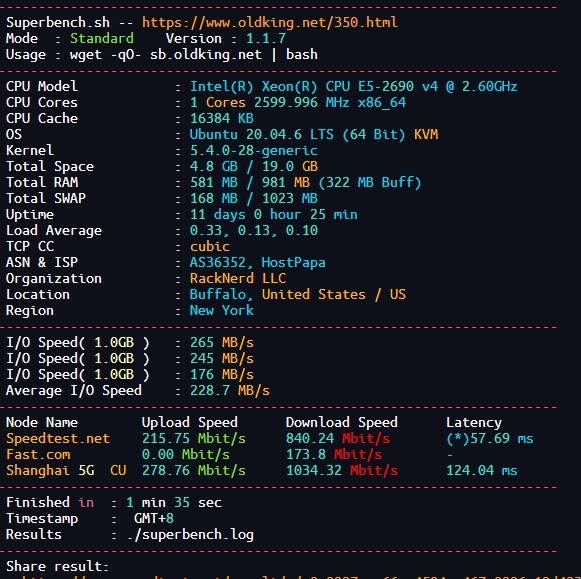
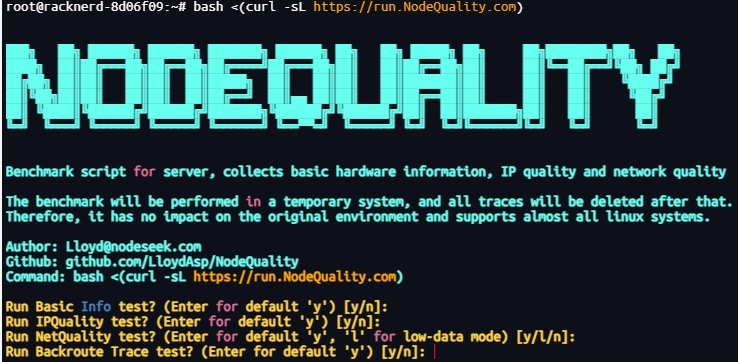
LemonBench
命令(二选一)
wget -qO- https://raw.githubusercontent.com/LemonBench/LemonBench/main/LemonBench.sh | bash -s -- --fastcurl -fsL https://raw.githubusercontent.com/LemonBench/LemonBench/main/LemonBench.sh | bash -s -- --fast测试图
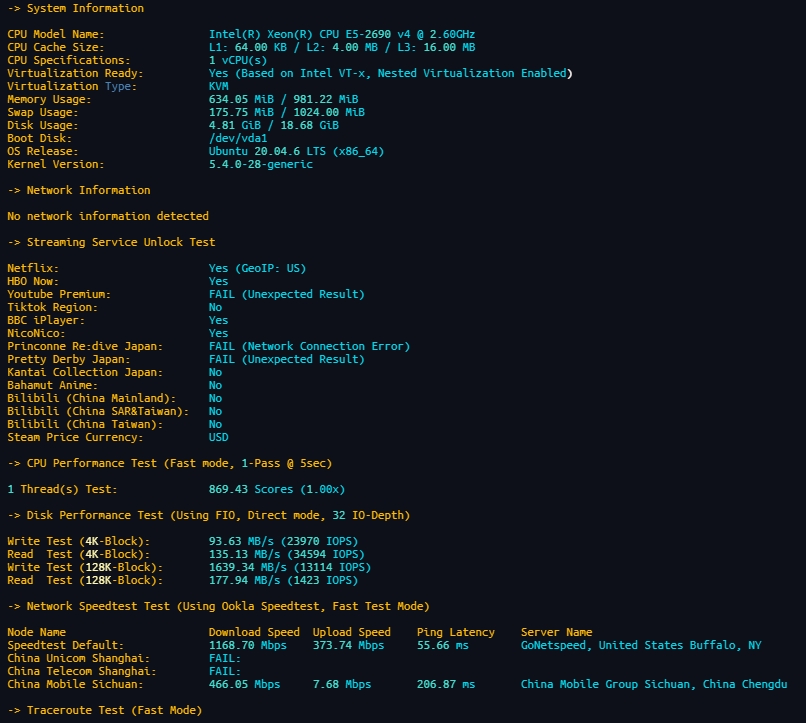
三、IP检测脚本
IPQuality
命令
bash <(curl -Ls IP.Check.Place)测试图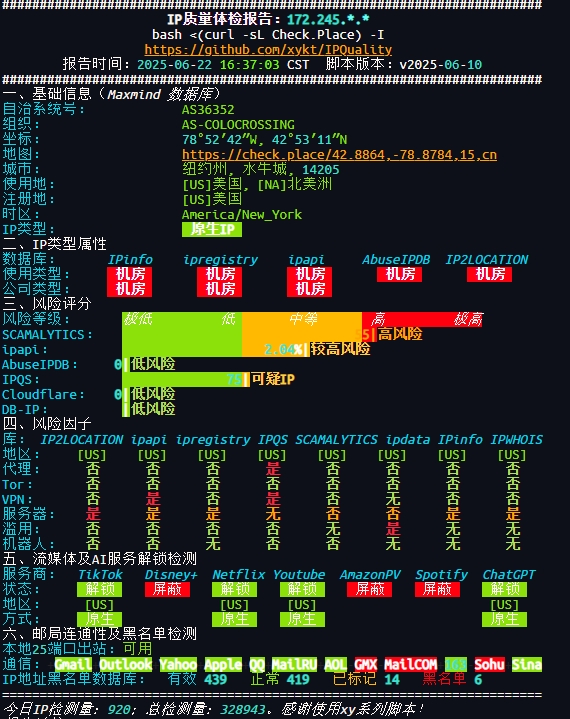
四、IP流媒体测试脚本
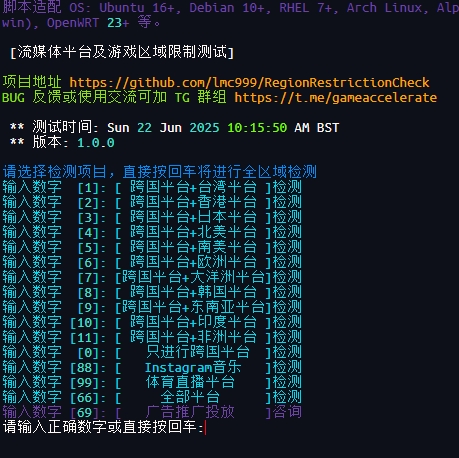
RegionRestrictionCheck
命令
bash <(curl -L -s check.unlock.media)测试图
五、linux系统类
linux系统进程守护systemd
1、创建文件(下面web为名称自行修改)
vi /usr/lib/systemd/system/web.service2、添加参数(以下参数web为路径自行修改)
\[Unit\]
Description=web
After=network.target

\[Service\]
Type=simple
WorkingDirectory=web                        //工作目录
ExecStart=web/node app.js                   //前面路径,后面启动命令
#User=root                                  //应用程序运行的用户名(默认root,已注释)
Restart=on-failure                          //失败自动重启

\[Install\]
WantedBy=multi-user.target
3、启动参数
重载配置: systemctl daemon-reload
启动: systemctl start web
关闭: systemctl stop web
配置开机自启: systemctl enable web
取消开机自启: systemctl disable web
状态: systemctl status web
重启: systemctl restart web
linux设置swap虚拟内存
1、创建交换分区(在root用户下创建)
dd if=/dev/zero of=/root/swap bs=1M count=20482、设置交换分区文件
mkswap /root/swap3、启动交换分区
swapon /root/swap4、设置开机时自启用SWAP分区,需要修改文件/etc/fstab中的SWAP行,添加以下代码
/root/swap swap swap defaults 0 05、临时修改swappiness参数值,此处以空闲内存少于25%时才使用SWAP分区
echo 25 >/proc/sys/vm/swappiness6、永久修改swappiness,通过vim命令编辑/etc/sysctl.conf文件,添加以下参数
vm.swappiness = 25
参与讨论